
Catch forged cheques at the counter. Clear them faster in the back office.
ADEC Plus (Advanced Digitally Encrypted Cheque) scans both sides of every cheque, reads the MICR line and checks it against the encrypted 2D barcode printed during personalisation. In the back office it creates the electronic compensation files for clearing.
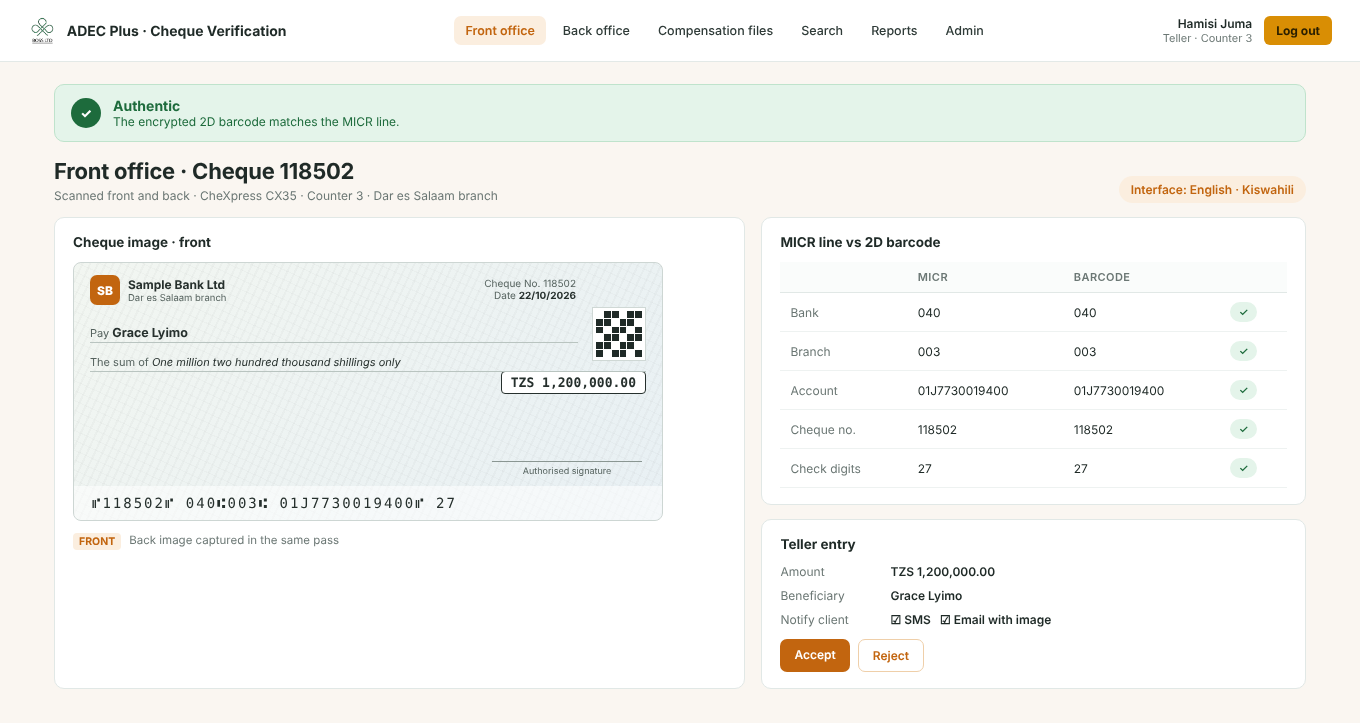
From the counter to clearing.
Scan at the counter
The teller scans the cheque on a CheXpress CX35. Front and back images are captured in one pass.
Verify
ADEC reads the MICR line (bank, branch, account, cheque number, check digits), corrects it with OCR, and checks it against the encrypted 2D barcode.
Clear in the back office
Batches are scanned on a TellerScan TS250. ADEC creates the electronic compensation file and sets suspect cheques aside.
Built for the way your office already works
Authenticity check
The encrypted 2D barcode printed during personalisation is checked against the MICR line, so altered or forged cheques stand out.
MICR and OCR reading
Reads the MICR line with its check digits, corrects it automatically with OCR, and reads areas such as the account holder name and currency.
Front and back images
Both sides are captured, compressed and saved with the extracted data for later search and reports.
Electronic compensation
Creates the outgoing compensation file and reads the incoming one, in the format your clearing house specifies, for your own and other banks' cheques.
Customer notifications
Optional SMS, or email with the cheque image, telling the customer their cheque has arrived, with the amount and beneficiary.
Reports and control
Security reports, logs and cheque counts for any period, user access levels, and cheque images emailed between branches when needed.
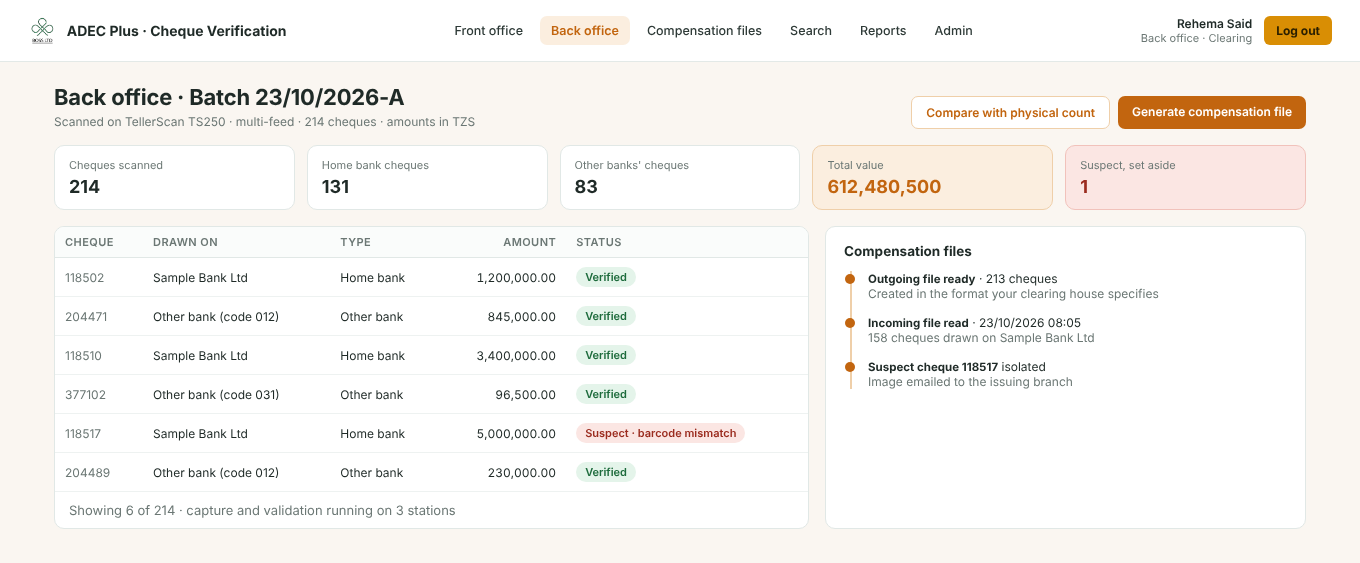
Electronic compensation, without the manual work.
- Scan batches of your own and other banks' cheques on a TellerScan TS250.
- Suspect cheques are isolated before the file is sent.
- Compensation files are created and read in the format your clearing house specifies.
Hardware and setup
See ADEC Plus working for your team
We supply the scanners and software, connect ADEC to your core banking system and train your tellers and back-office staff.